Add a watermark to a video on Mac
Add a logo or text watermark to a video.
Before a clip goes out, it often needs your mark on it: a logo in the corner, a handle across the bottom, a note saying it's a draft. Watermarking a video burns a logo or line of text into the picture so it travels with the file wherever it's reposted. The fiddly bit is placing it once and having it sit correctly whatever the video's resolution.
The free way (if there is one)
There's no built-in way to watermark a video. iMovie can add a title or a picture-in-picture overlay inside a project, but it's a full timeline edit, not a quick stamp on the file.
iMovie can lay a title or a picture-in-picture overlay on a clip for free, inside a project. Fileknife is for dropping a logo or text watermark straight onto the file, placed exactly, without a timeline.
With Fileknife
Here's the same job in Fileknife, where it stays on your Mac:
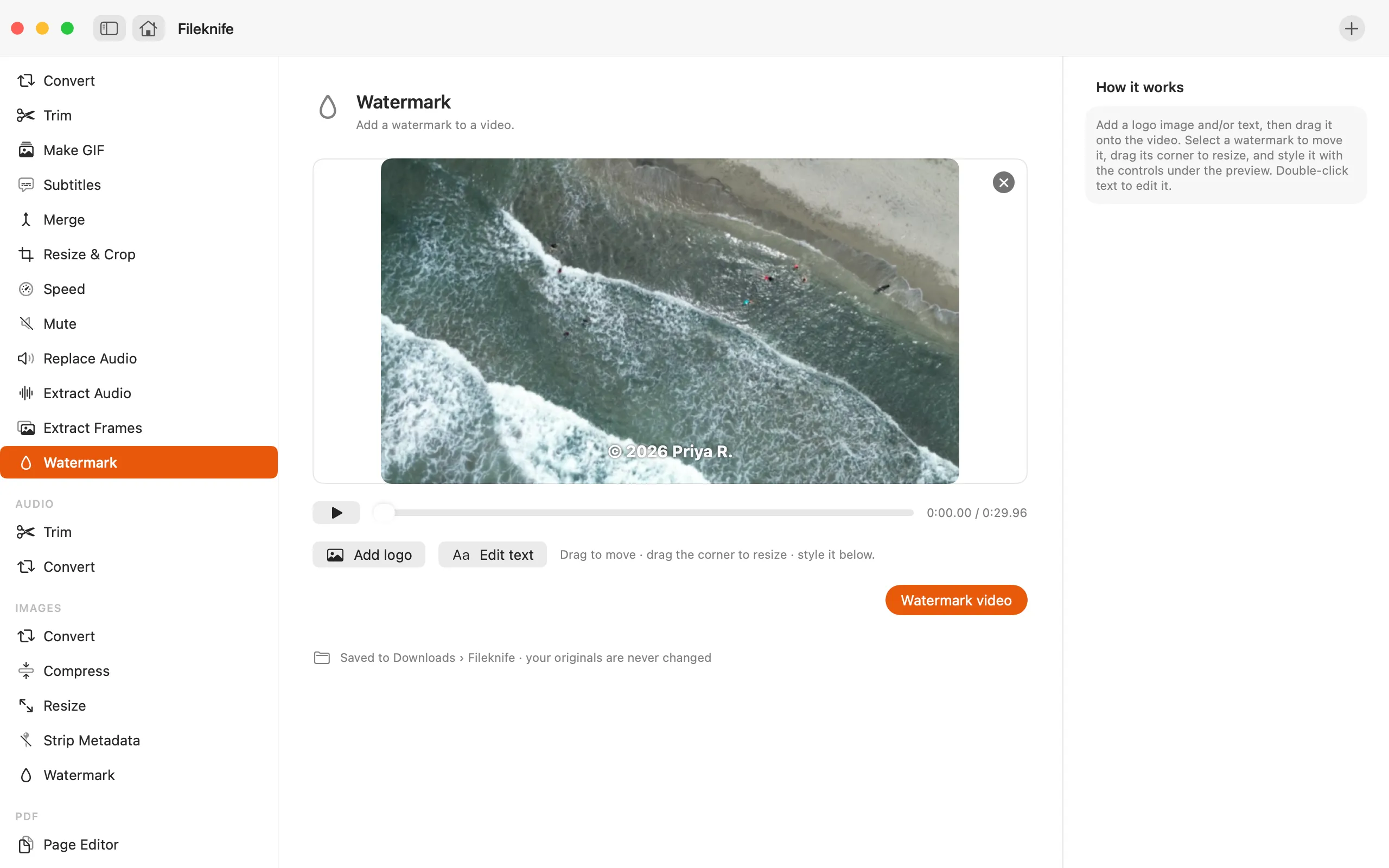
- Drop the video onto Fileknife and choose Watermark.
- Add a logo image and/or type your text.
- Drag it on the preview to set position, size and opacity.
- Press the button, then use Show in Finder or drag the result out.
Why reach for Fileknife
- Add a logo, a line of text, or both, placed on a live preview.
- Set the position, size and opacity; the placement is resolution-independent, so it looks the same at any size.
- Choose the text's typeface, weight and color.
- Burned in on your Mac, nothing is uploaded, and there's no watermark-site watermark on top of yours.
Presets and options
- Logo
- Text
- Logo and text
Takes: A video (MP4, MOV, M4V), plus a logo image (PNG with transparency works best). Gives: MP4 with the watermark burned in.
Honest limits
The watermark is burned into the picture, so it can't be removed afterwards, keep your original if you might want a clean copy. A transparent PNG logo sits cleanest over the video.
FAQ
Can I use my own logo?
Yes. Add a logo image (a transparent PNG works best) and place it on the preview. You can also add a line of text, or both together.
Will the watermark stay in place if the video is a different size?
Yes. The position and size are set as fractions of the frame, so the watermark sits in the same spot whatever the video's resolution.
Can the watermark be removed later?
No, it's burned into the picture, which is the point. Keep your original file if you might want an unmarked version.
Is anything uploaded?
No. The watermark is applied on your Mac.
Be the first to know when it ships · No spam · macOS 14 Sonoma or later